 Clear Process Solutions

The best person to redesign your process is the one who already runs it.
In a CPS Clairvoy session you map how your process runs today and design how it should run, with every step placed with a script, an AI agent or a person.
Where the work is today
Activate AI starts where most teams stop.
The list is not the problem
Every team can name the work AI would improve. The list is not what holds them back.
The workflow is
The work was designed around people, inboxes and spreadsheets. Until the workflow is redrawn, AI sits beside the work and not in it.
And it is not written down
A spreadsheet one person owns. An out-of-date procedure. What three people remember.
A river. On the left, choppy gray water with eddies and stray arrows: chat and task automation. A line marks where most teams stop. On the right, three blue streams start one after another and run straight: skills, AI agents and orchestration.
- TodayChatAsk, draft, look up. Everyone does this.
- TodayTask automationSmall actions, one person at a time.
- EquipSkillsThe way you do a thing, packaged so anyone repeats it.
- BuildAI agentsOne role, carried by an AI agent with a named owner.
- ScaleOrchestrationScripts, AI agents and people in one governed workflow.
Context is king.
The best person to redesign your process is the one who already runs it.
AI is only as good as the context it is given. That context is with your people, so the redesign starts with them.
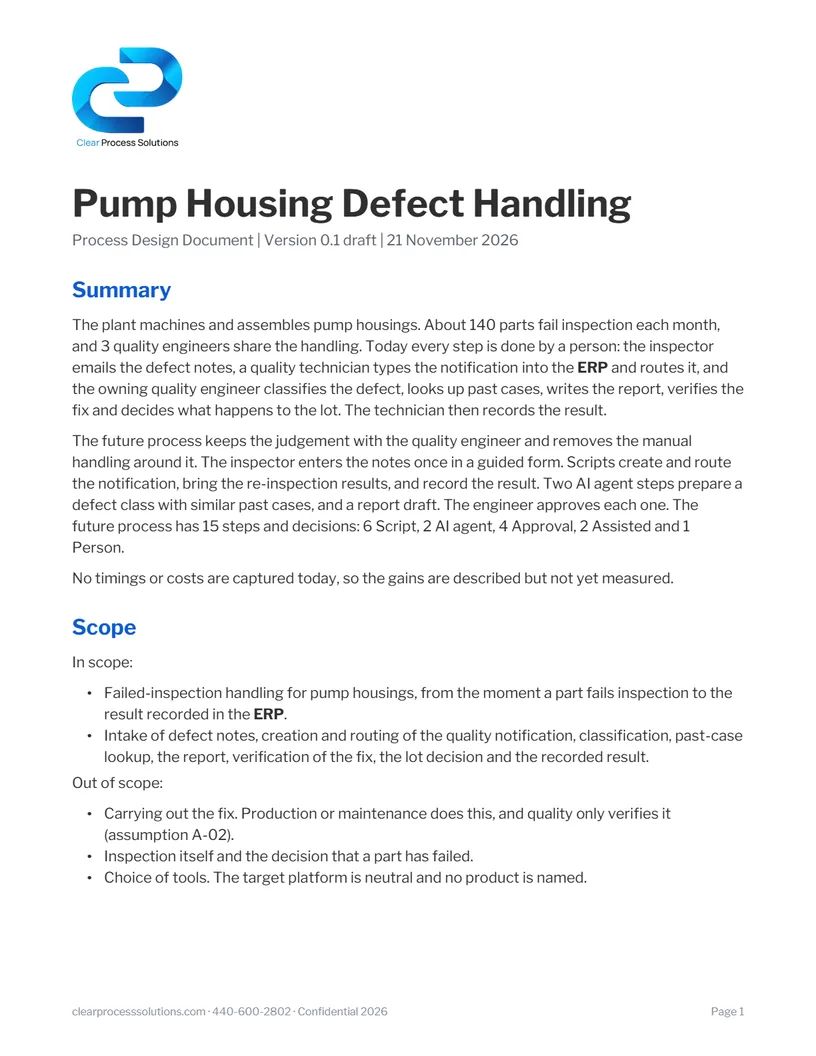
CPS Clairvoy is a process analyst we built. It interviews the person who runs a process, maps how it runs today, designs how it should run, with every step placed with a script, an AI agent or a person, and writes the design document.
How a session runs
Map today. Design tomorrow. Compare the two.
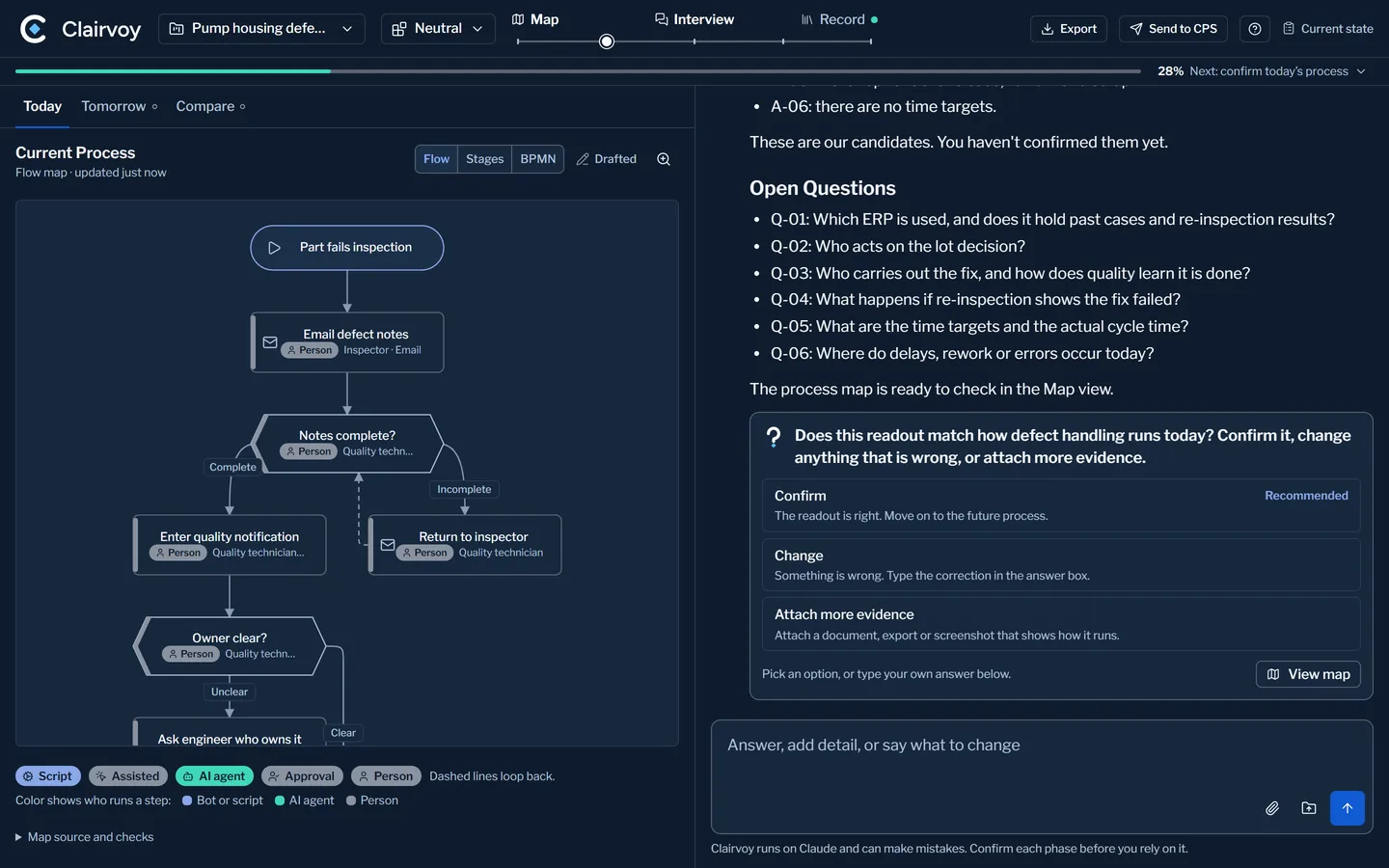
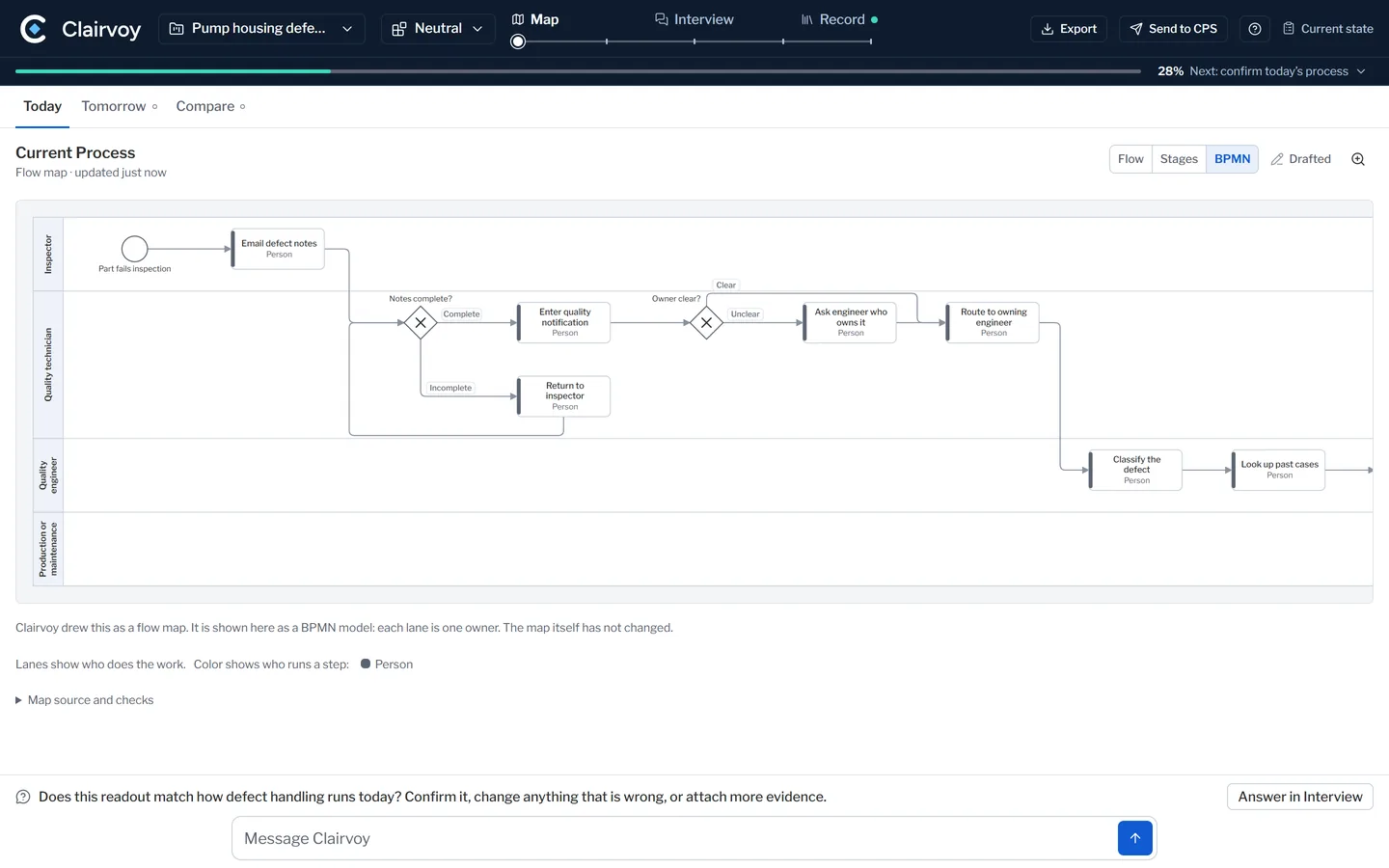
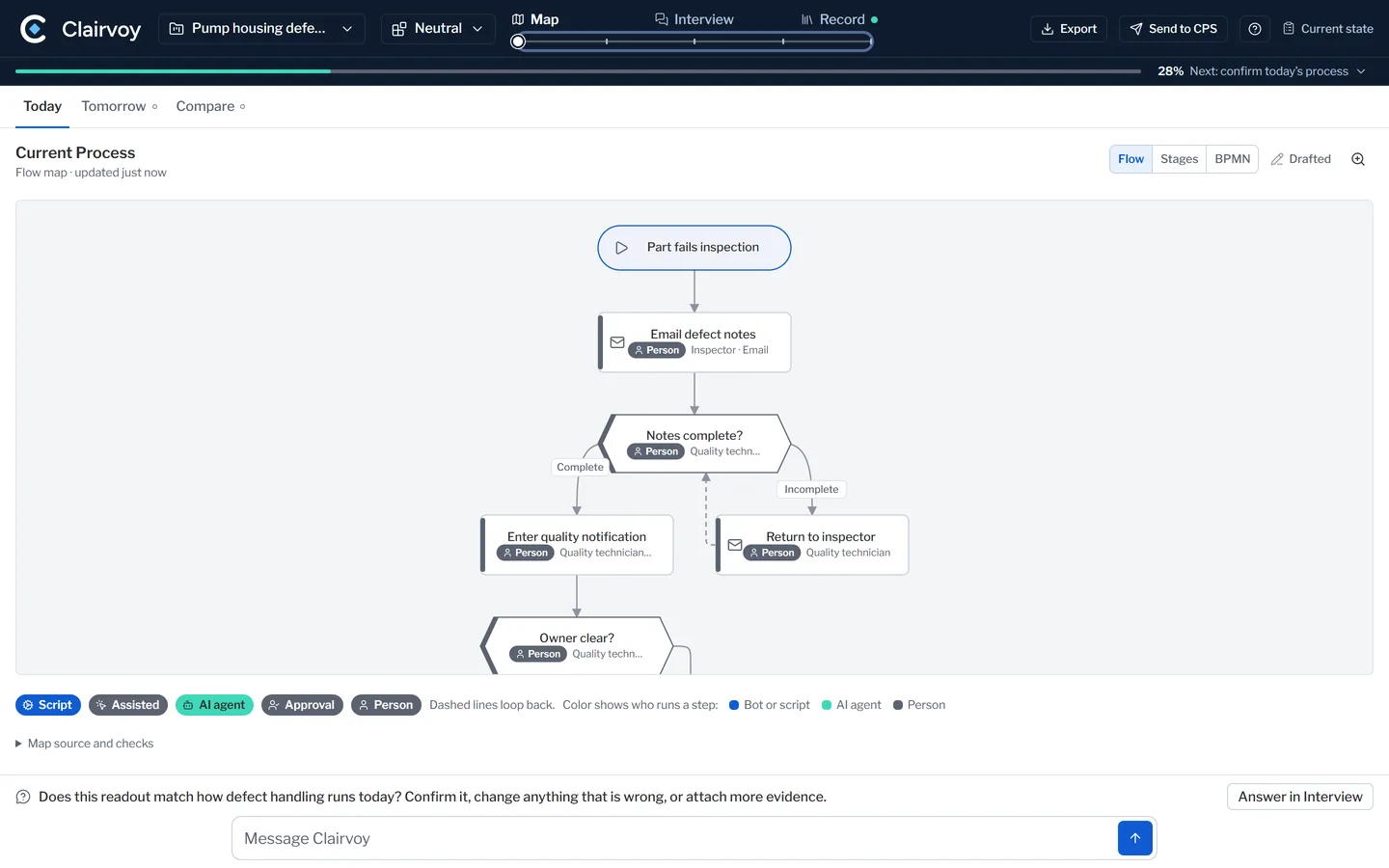
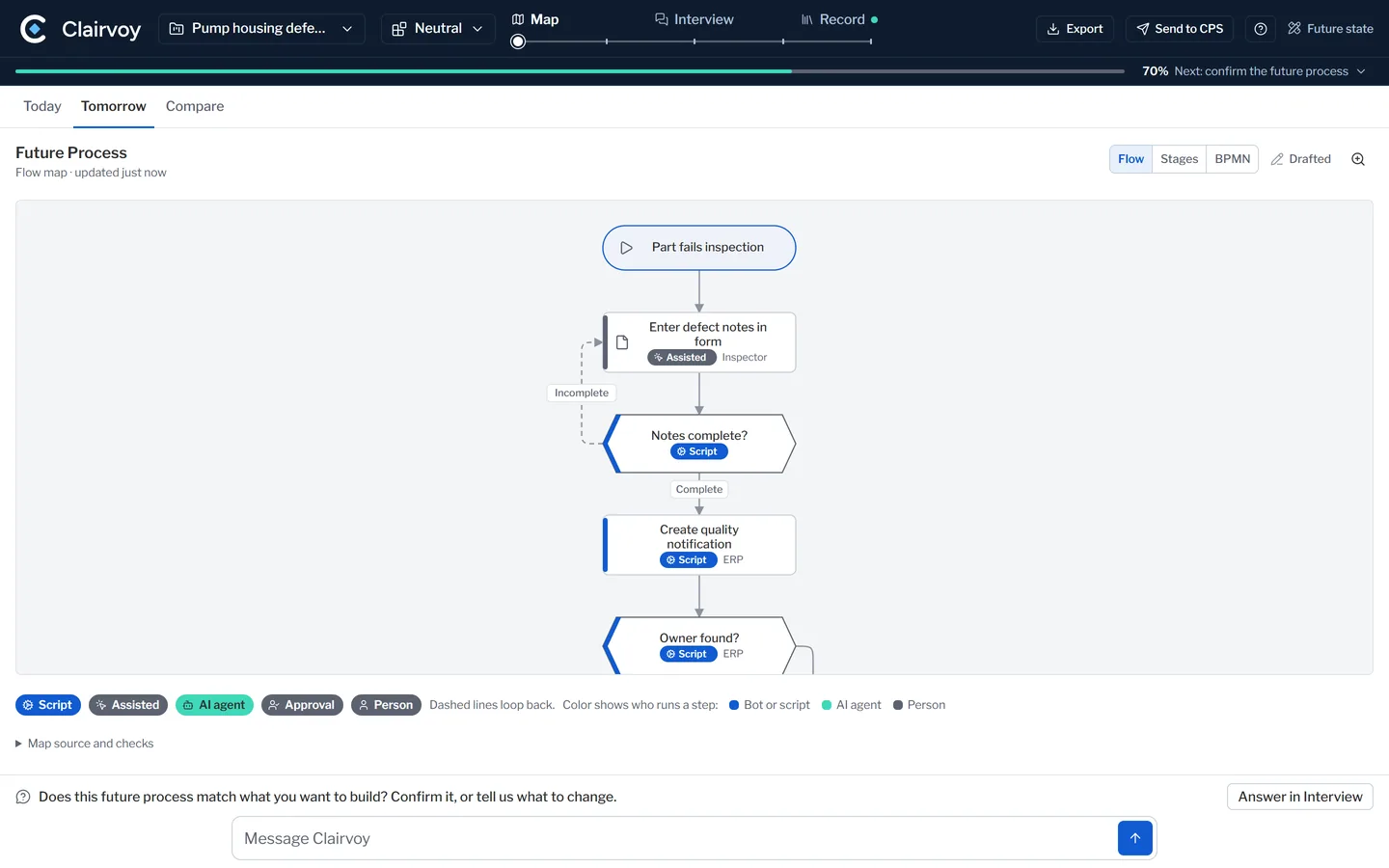
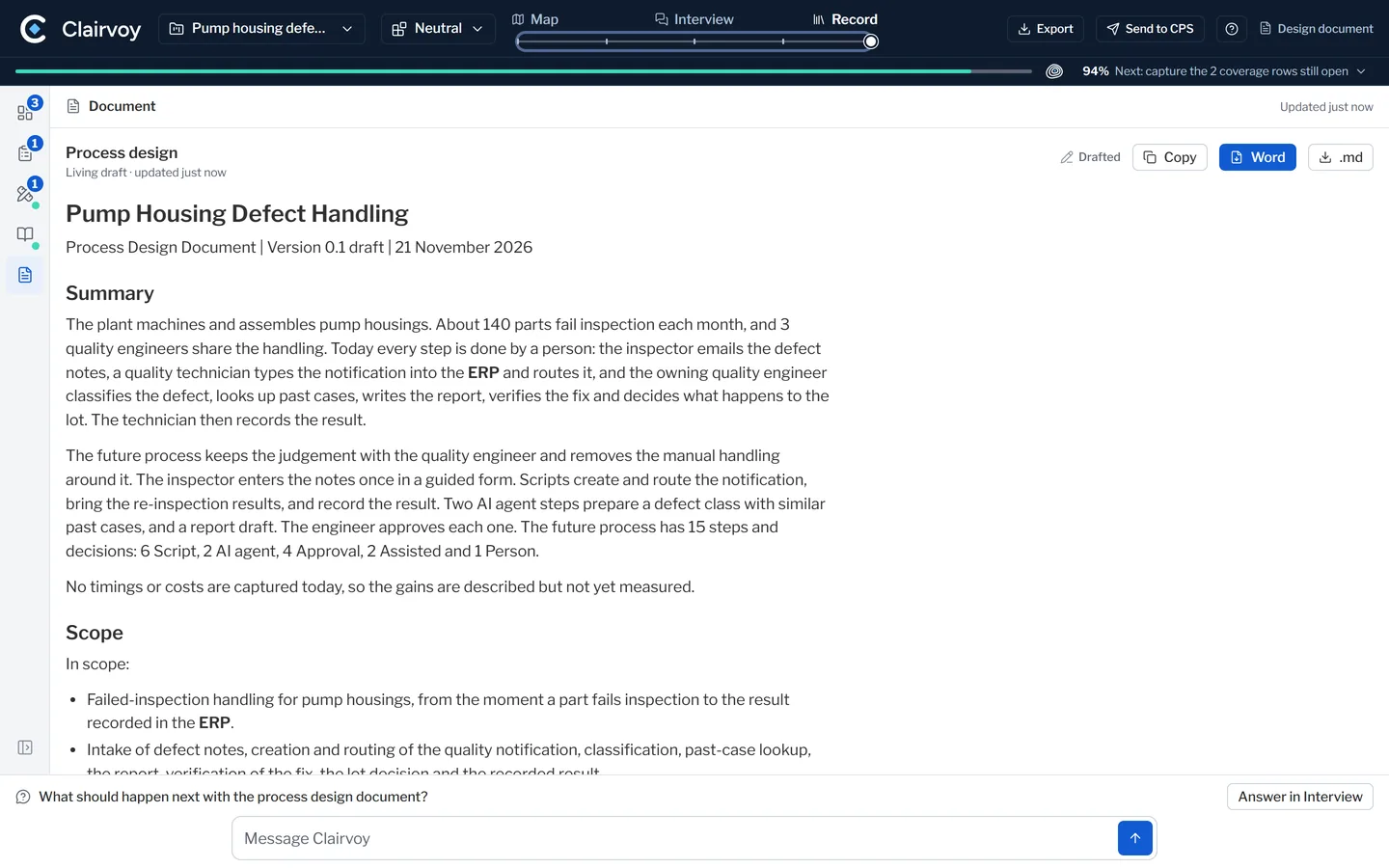
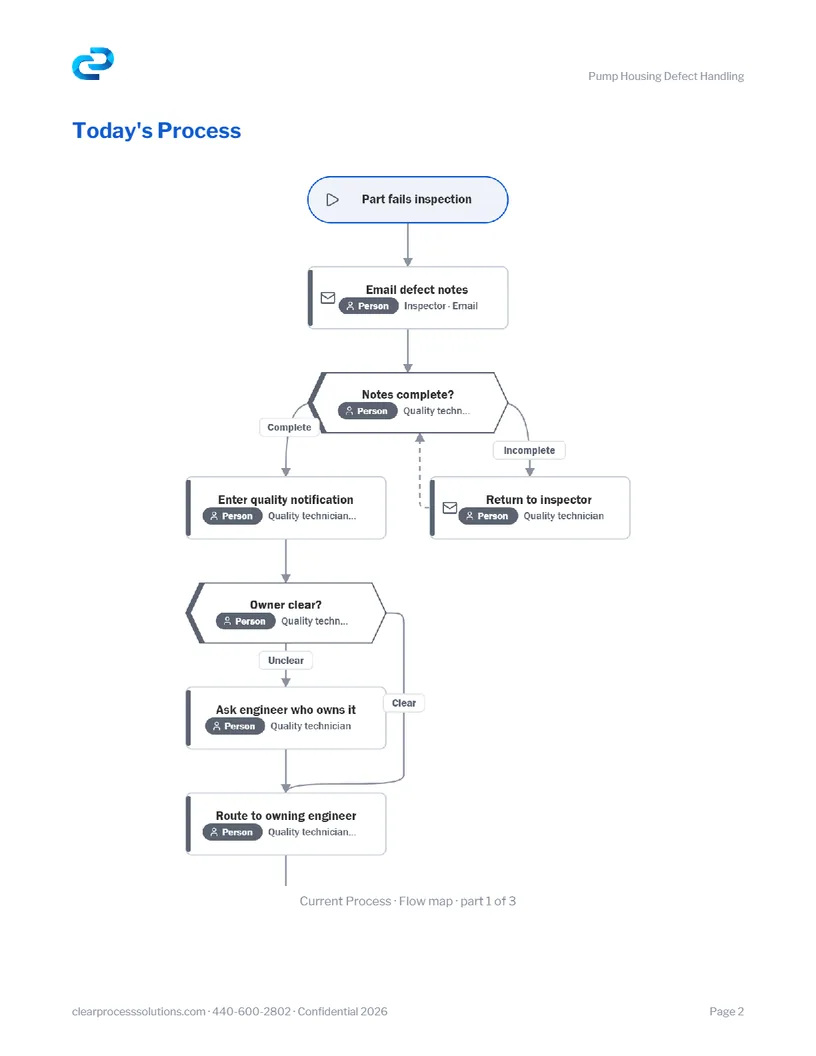
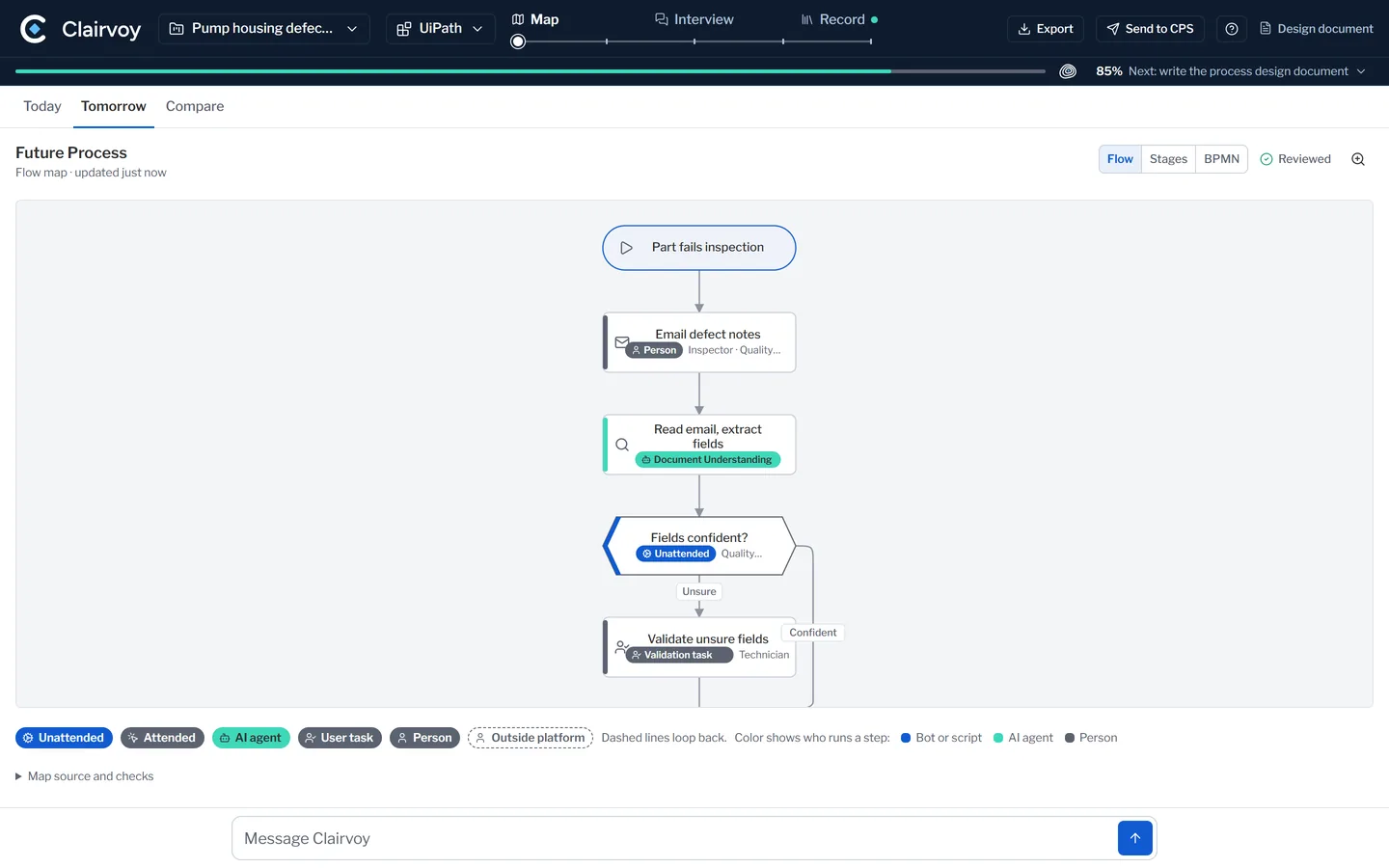
Four steps, and the person who runs the process leads every one. The example in these stills is made up: a part fails inspection at a plant that makes pump housings.
Interview the owner
It asks the person who runs the process, one decision at a time. The owner decides.
Bring what you have: procedures, notes, exports.
Map today
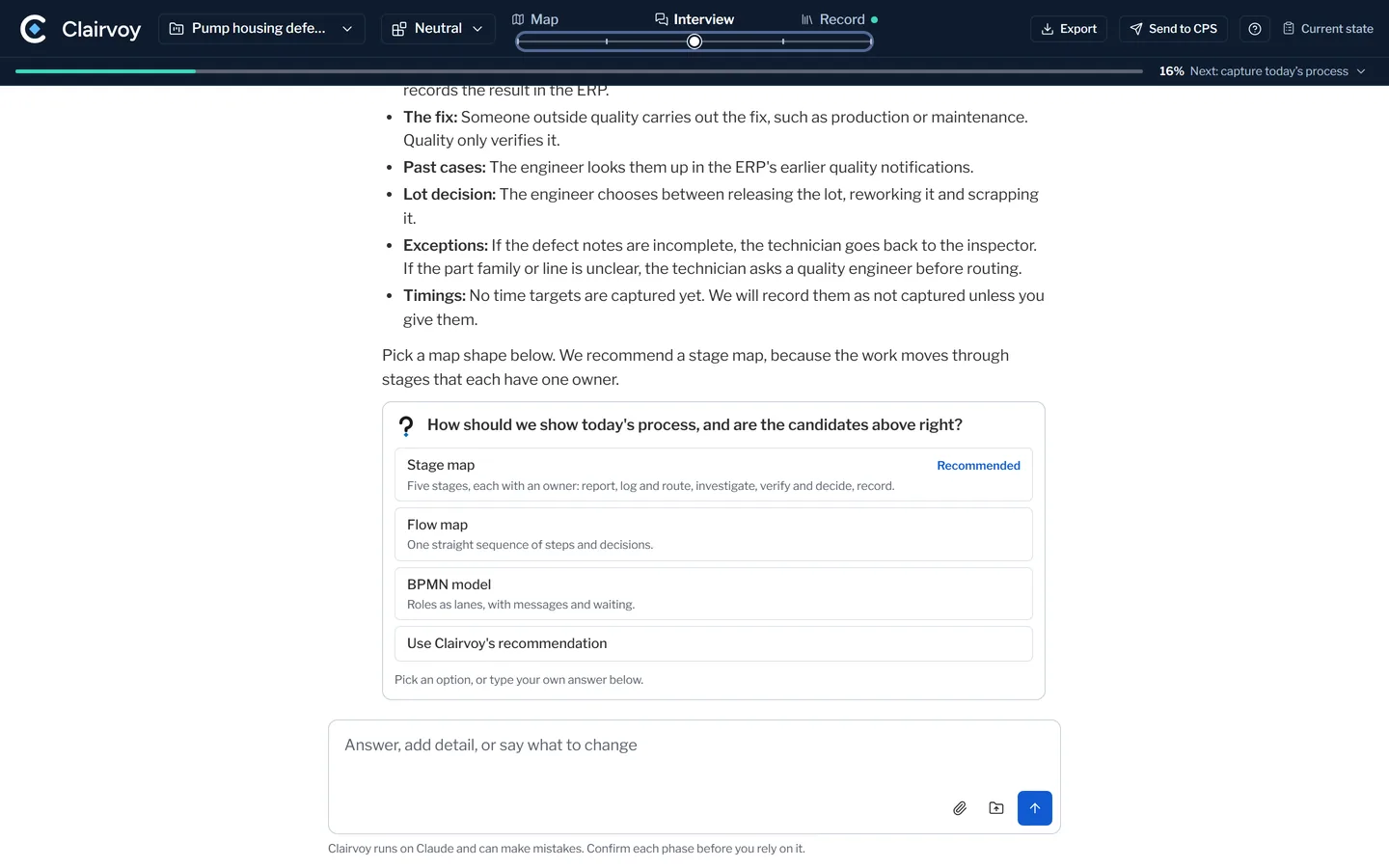
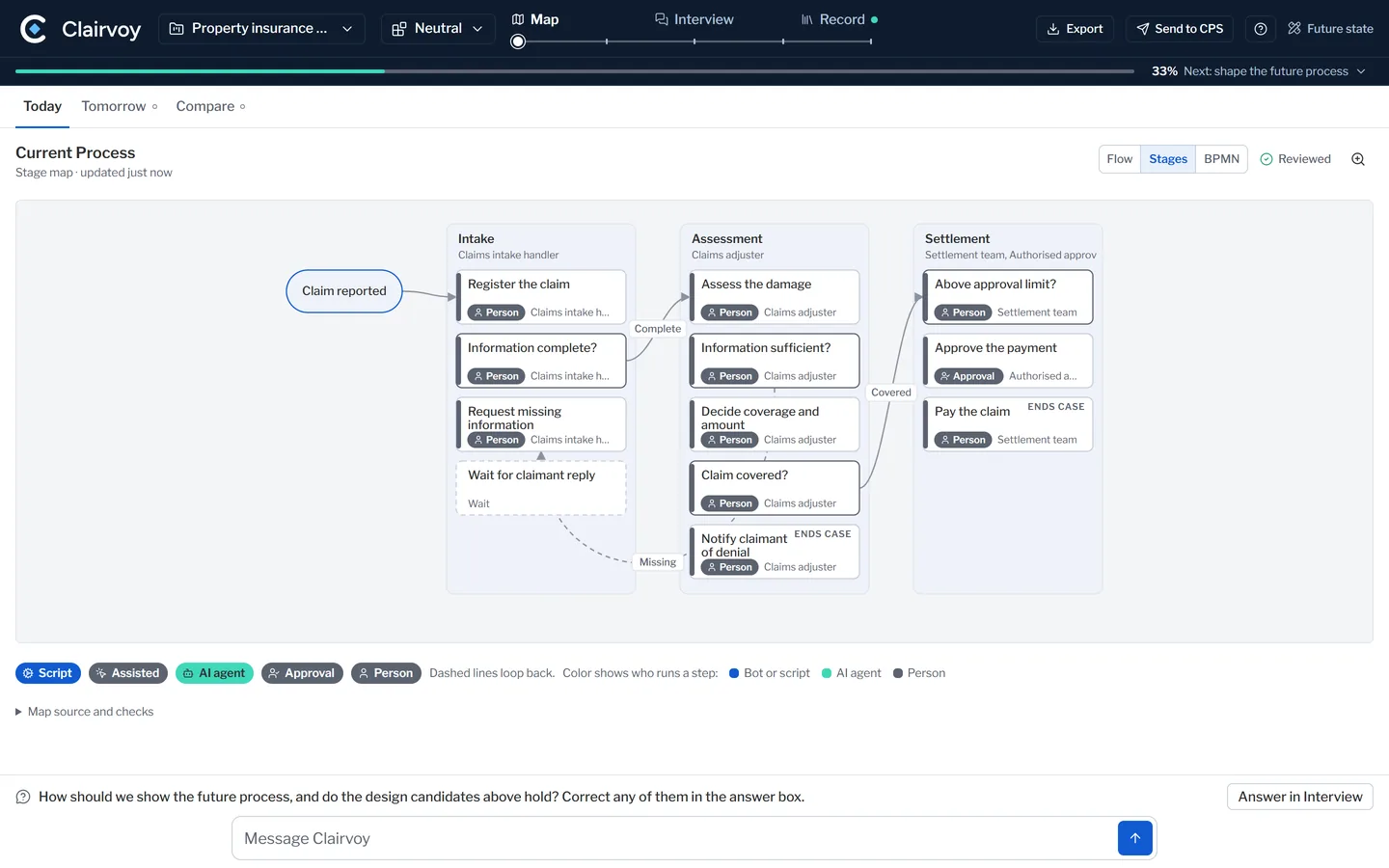
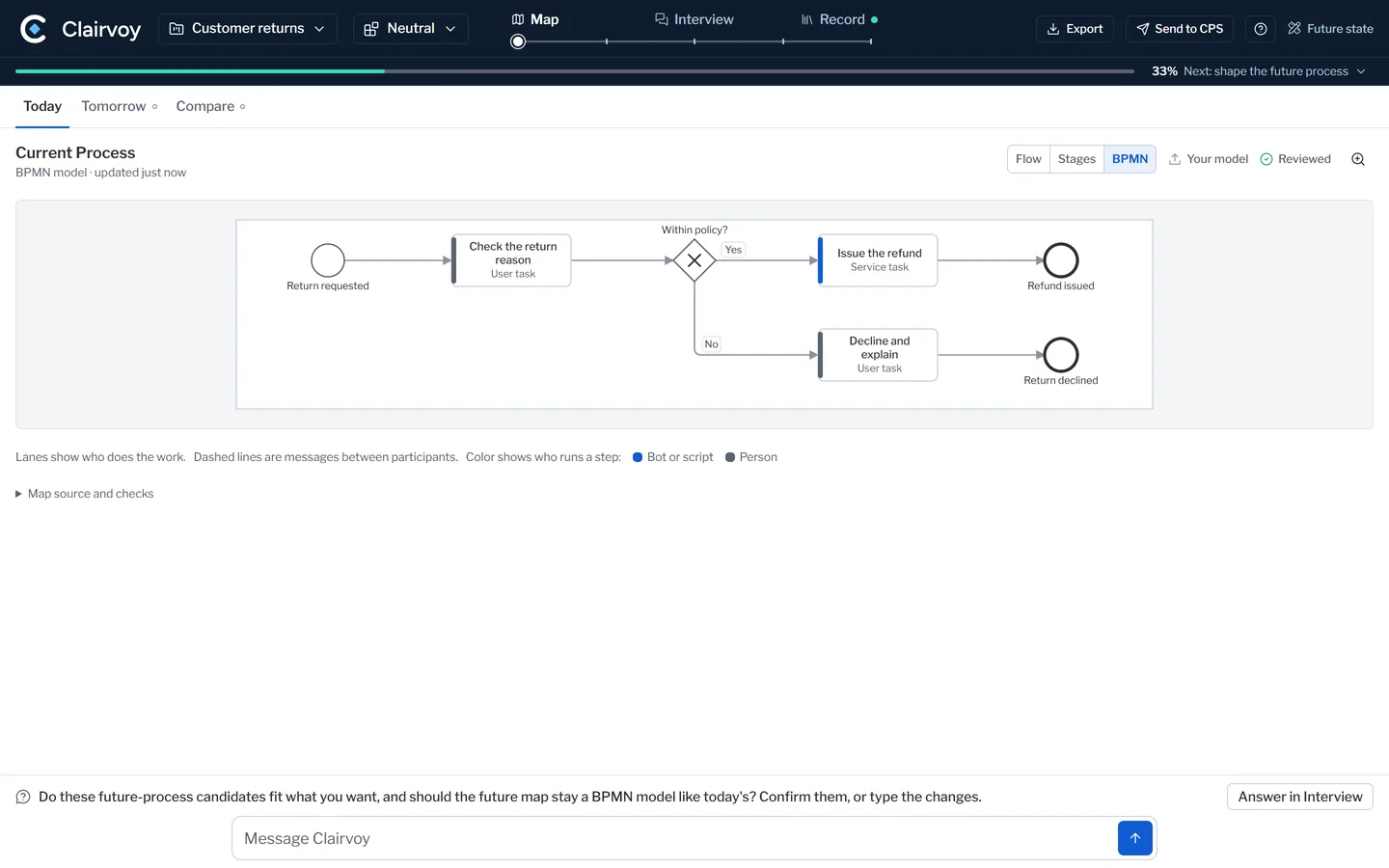
It draws how the work runs today. Nothing moves on until you confirm it.
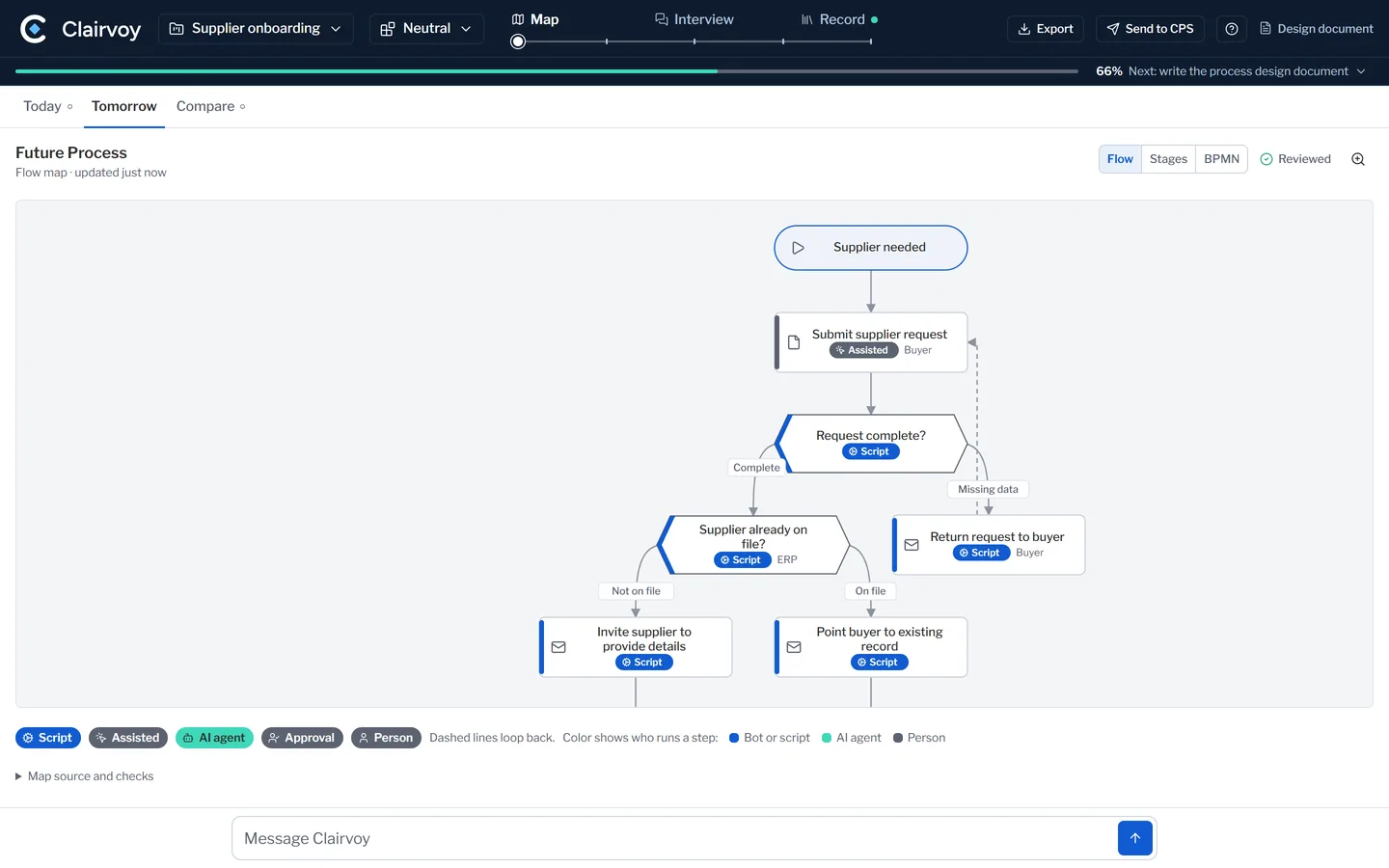
The same map reads as a flow, as stages or as a BPMN model.
Design tomorrow
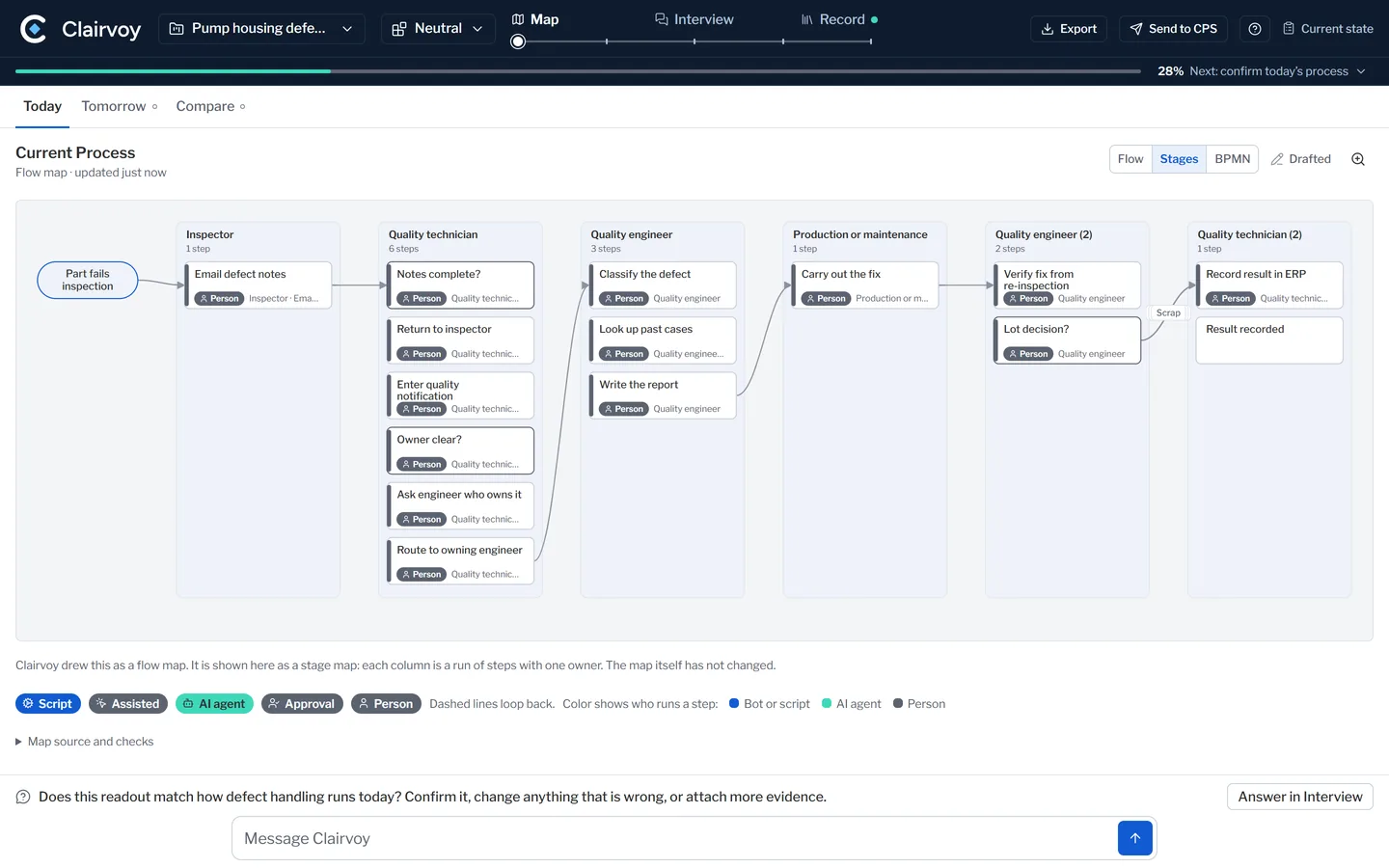
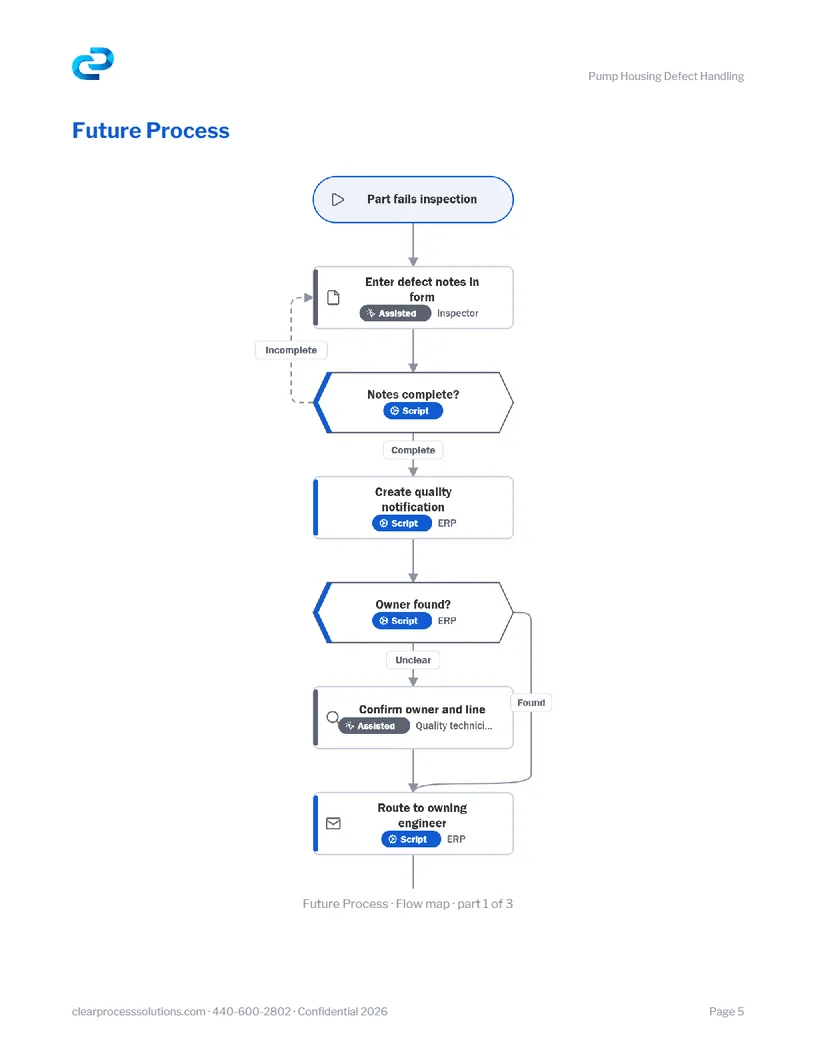
Then how it should run. Clairvoy places it, one step at a time: every step placed, with a reason.
Write it up
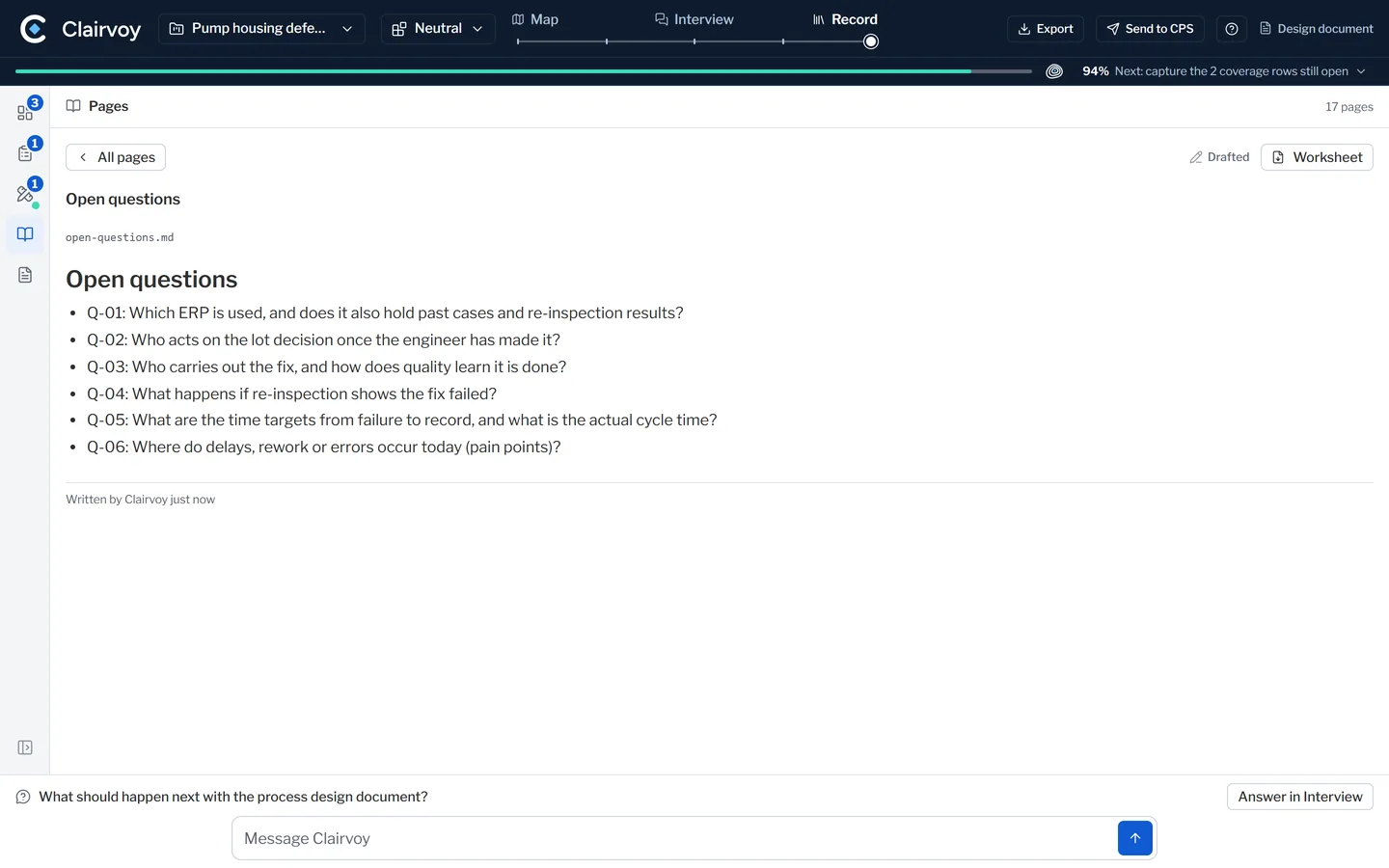
It keeps what was said, what is still open, and the design document.
How a step is placed
A script where the rules can be written down. An AI agent where they cannot. A person where accountability lives.
 Script
The rules can be written down.
 AI agent
Variability defeats the rules.
 Person
Accountability lives here.
Accountability stays exactly where it was. What changes is the work.
One or two AI agent steps make a strong design. So does none. Clairvoy proposes where each step goes, and the process owner decides.
Compare the two
The problem stays the same. The human's job changes.
The same plant example, drawn as six of its steps. Keep scrolling and each step is placed in turn. Scroll back up and it undoes itself.
Skip the animationFailed inspection to corrective action
A part fails inspection. A made-up example, drawn as six of its steps. Counts are steps, never time.
 Approval
Failed inspection to corrective action: who runs each step today and tomorrow.
- Create the quality notification. Today: Person. Tomorrow: Script. Logs the nonconformance. The rules can be written down.
- Route it to its owner. Today: Person. Tomorrow: Script. Routing follows the part and the line. The rules can be written down.
- Classify the defect and draft the report. Today: Person. Tomorrow: AI agent. Classifies the defect, finds past cases and drafts the corrective action report. Variability defeats the rules.
- Verify the fix. Today: Person. Tomorrow: Approval. Your quality engineer verifies the fix. Accountability lives here.
- Decide the disposition. Today: Person. Tomorrow: Person. The quality engineer decides what happens to the lot. Accountability lives here.
- Record the result. Today: Person. Tomorrow: Script. Captures the outcome for the quality record. The rules can be written down.
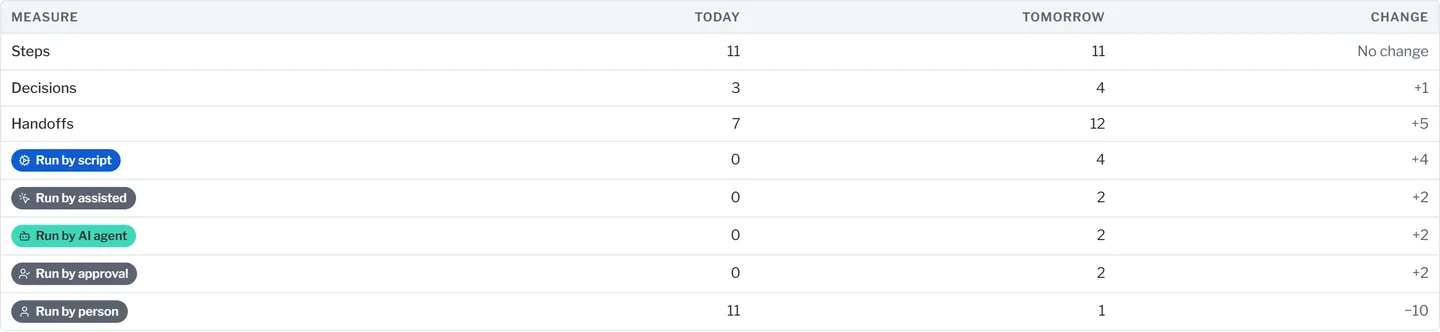
Today against tomorrow, counted.
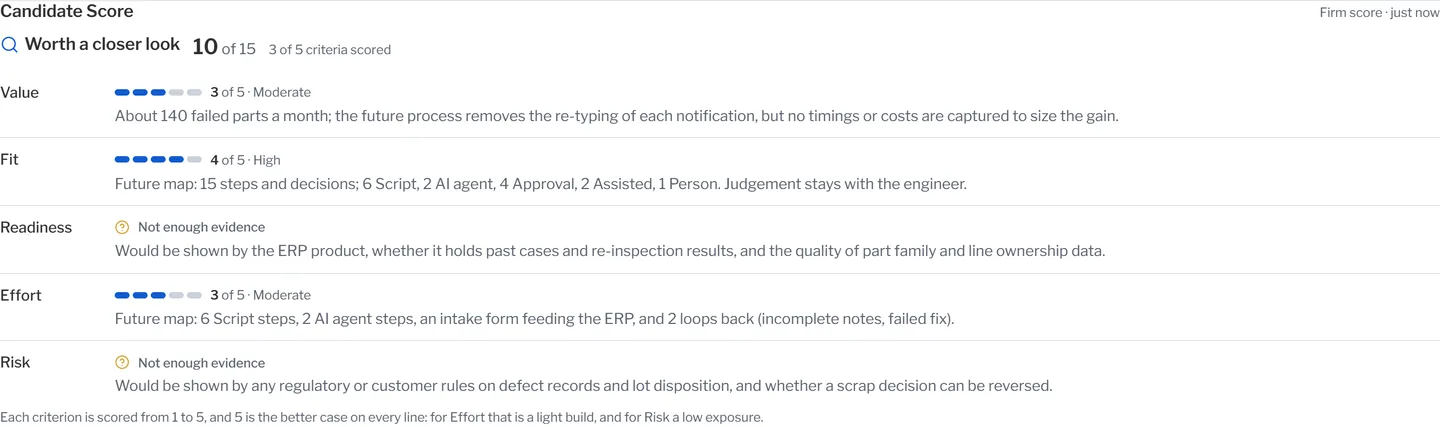
In the session, Clairvoy counts the steps, the decisions, the handoffs and who runs each step, before and after. This is its count for the whole plant example, every step included.
The same redesign, on three more plant workflows:
- Quoting a new job
- Machine breakdown
- Supplier shipment slips
What you leave with
Discovery that ends in a design, not a slide.
Map of today
Confirmed by your own people.
Design for tomorrow
Every step placed, with a reason.
Design document
In Word, with open questions listed.
Your files
Plain files you keep.
Platforms
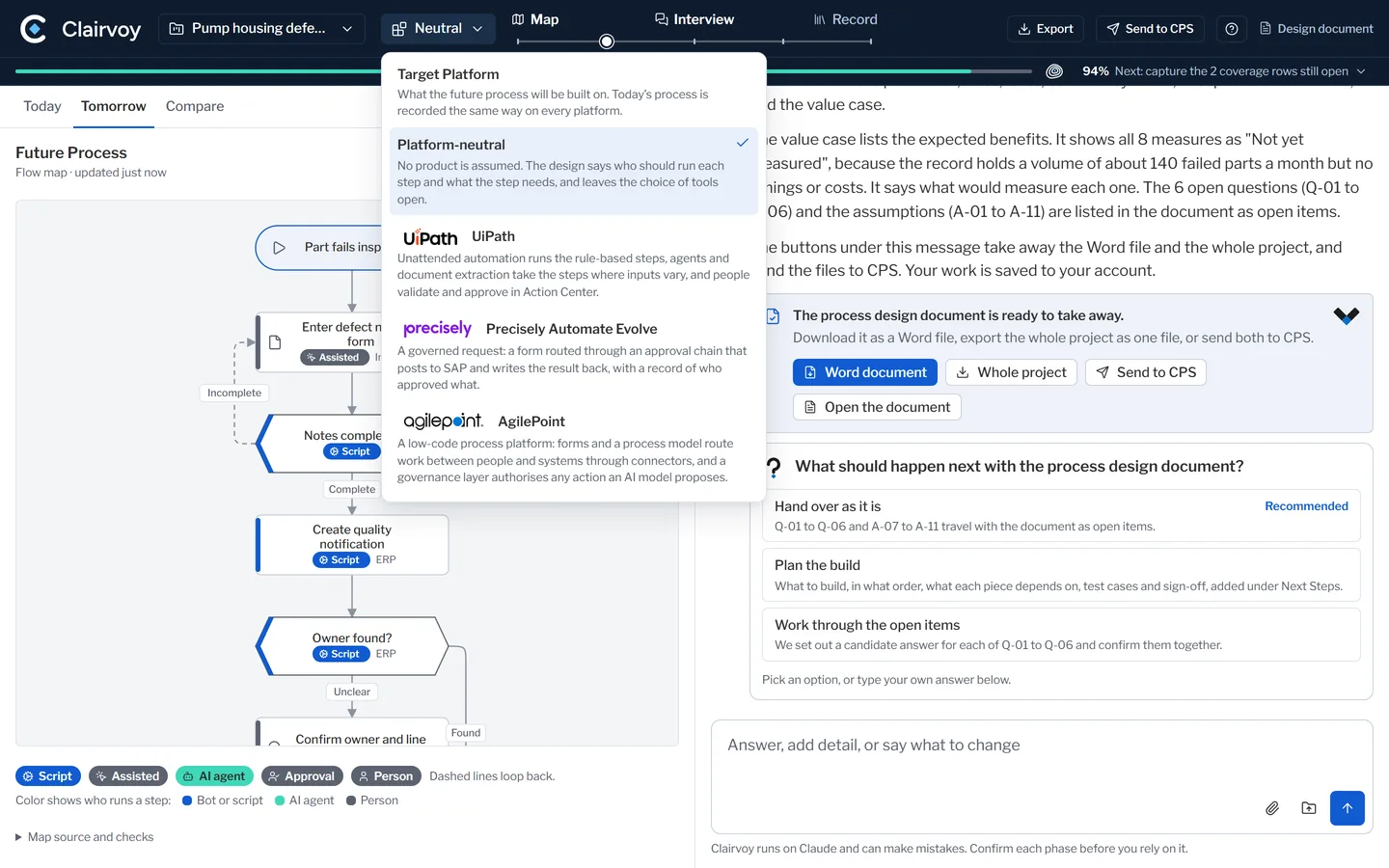
Platform-neutral by default. No product is assumed.
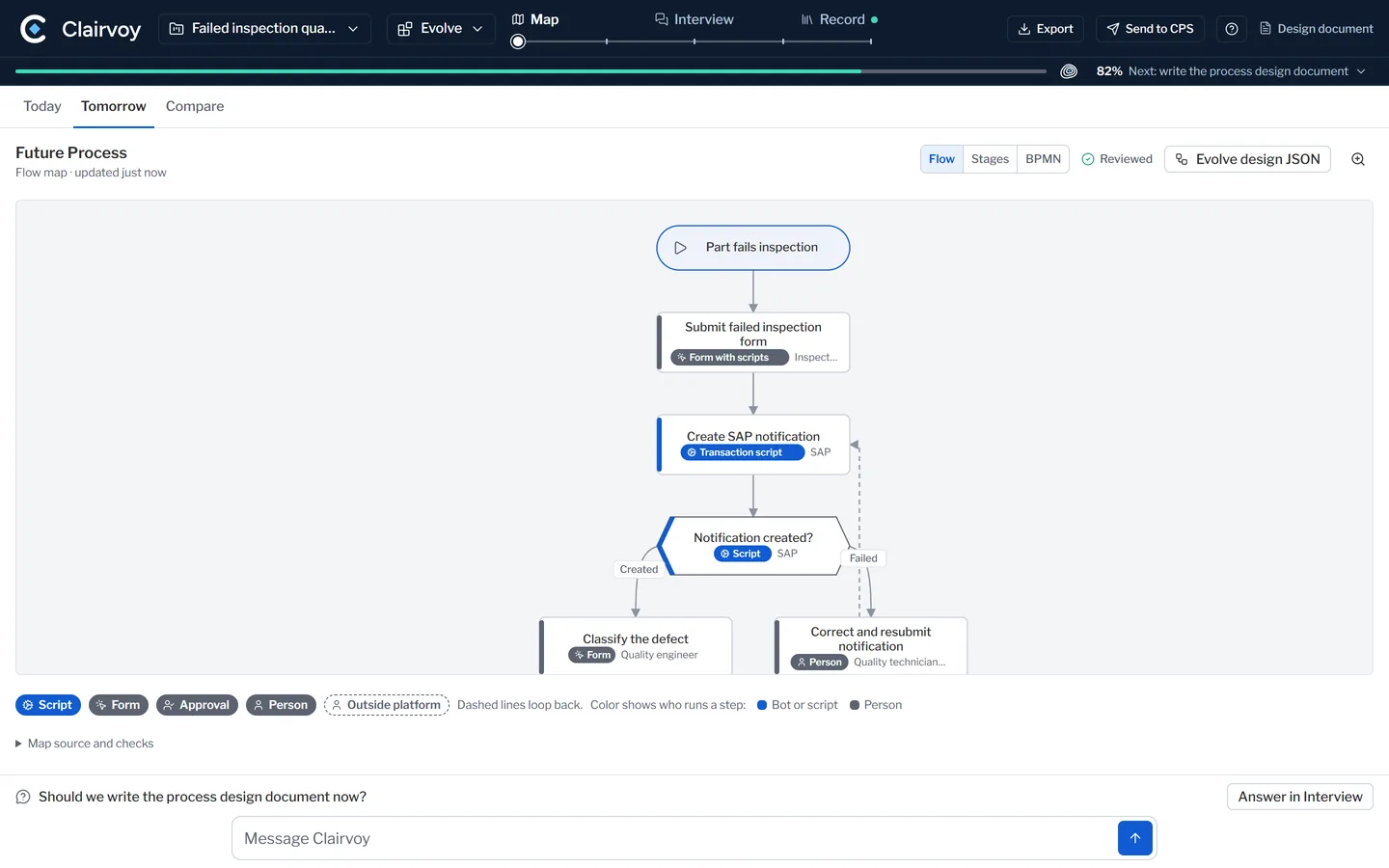
Where you have a platform, the design follows how we build in it. The process, as your people describe it. The design, as your platform can build it.


Where it runs
Runs on Claude, in your own environment where you have one.
The process ownerIn your environment
Where your people have Claude, the process owner runs the session under their own account. Nothing is sent to CPS unless they send it.
A CPS consultantThe process ownerIn ours
Where they do not, a CPS consultant runs the session while the process owner answers, and hands over the files afterwards.
You keep the files.
Other kinds of work
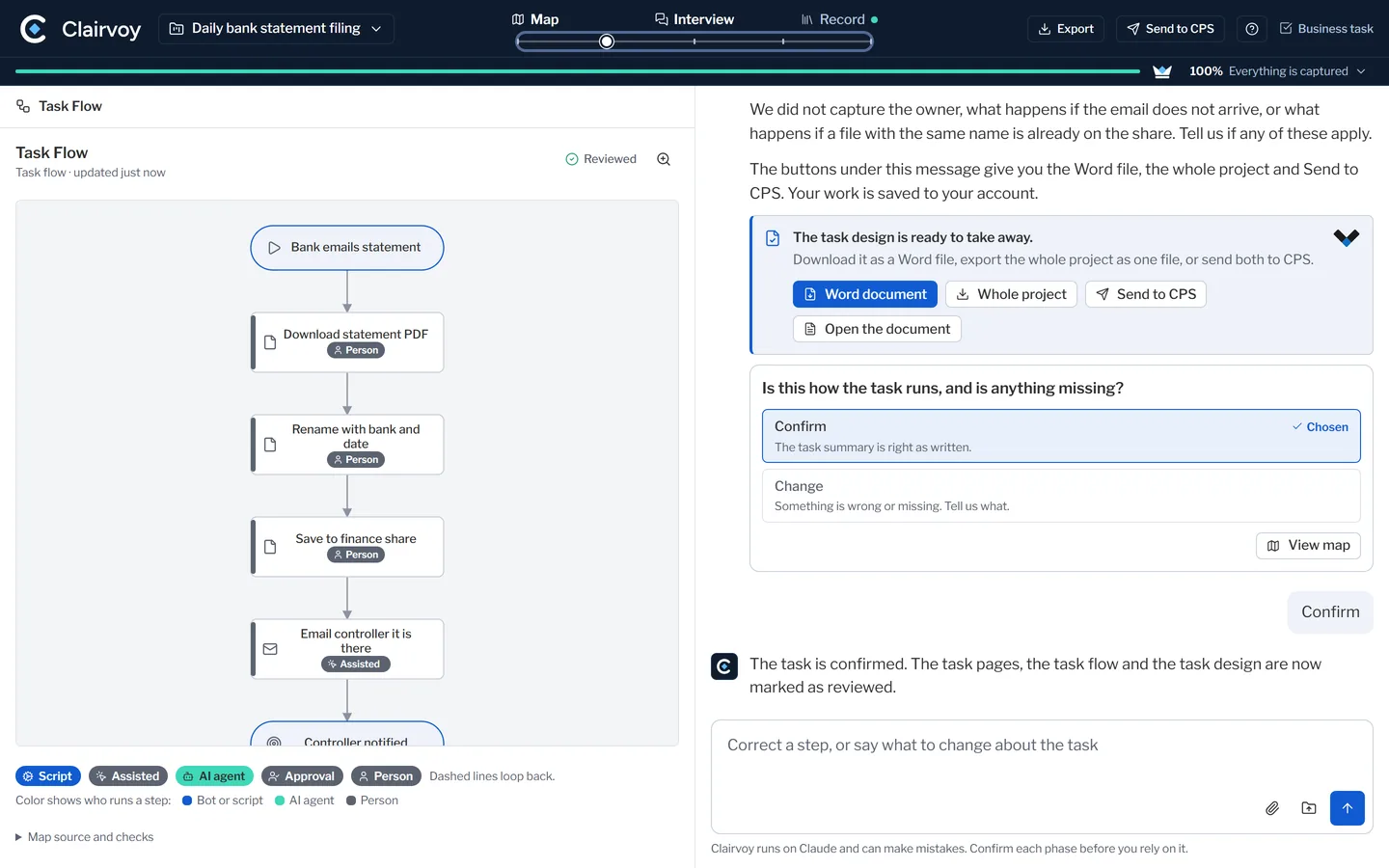
Not every piece of work is a classic process.
Questions
What buyers ask us.
If yours is not here, ask it. A person who can answer will reply.
Ask a questionWhat do I need to bring?
One process you own and the person who runs it. Bring what you have: procedures, notes, exports, a flowchart, a photograph of a whiteboard. If nothing is written down, the interview is enough to start.
What do we leave with?
A map of today that your own people confirmed, a design for tomorrow with every step placed and a reason beside it, and a design document in Word with the open questions listed. You keep the files.
Does it decide where AI goes?
It proposes, and the process owner decides. A script where the rules can be written down. An AI agent where they cannot. A person where accountability lives.
We already have process maps
Bring them. The session spends its time where the maps stop.
We have no process documented at all. Can we still use it?
Yes. When the process does not run yet, the session skips today and goes straight to tomorrow. It also handles a single task with one owner.
Our platform vendor has a tool for this
Use it. A session starts with the person who runs the work and ends in a design document.
A chat assistant could draw this
A chat answers what it is asked. Clairvoy runs a method and marks what is confirmed.
AI makes things up
It can, which is why nothing moves forward until you confirm it, and assumptions are listed.
Is this process mining?
No. Clairvoy does not read system logs. It starts with the person who runs the work and reads what they attach.
Does it design for our platform?
By default it assumes no product. On UiPath, Precisely Automate Evolve or AgilePoint it follows how we design there.
Who else has used it?
It is new, and we will not quote a result we have not measured. Your own process is the proof.
Where does our data go?
It runs on Claude, under the account of the person using it. Nothing is sent to CPS unless they send it.
Claude is not approved here
Then we run the session in ours and hand over the files.
Do we need to buy something?
Clairvoy runs on Claude, under the account of the person using it. There is nothing to install. Where your people do not have Claude, a CPS consultant runs the session in the CPS environment while the process owner answers.
Our people have no time for discovery
This is the discovery, and the person who runs the process leads it.
How long is a session?
It depends on the process and what you bring. It can stop at any checkpoint and pick up later.
What does it cost?
Covered under SolutionCARE, or your Account Manager will walk you through it.
Then you sell us a project
If you want it built, we would like to build it. The design is yours either way.
One next step
Pick one process and one owner.
Run a session on a process you own.
A map your people confirmed
Today, as the work really runs.
A design your platform can build
With a reason beside every step.
SolutionCARE clients
A session is covered under your agreement. Open an Activate: AI ticket or ask your Account Manager.